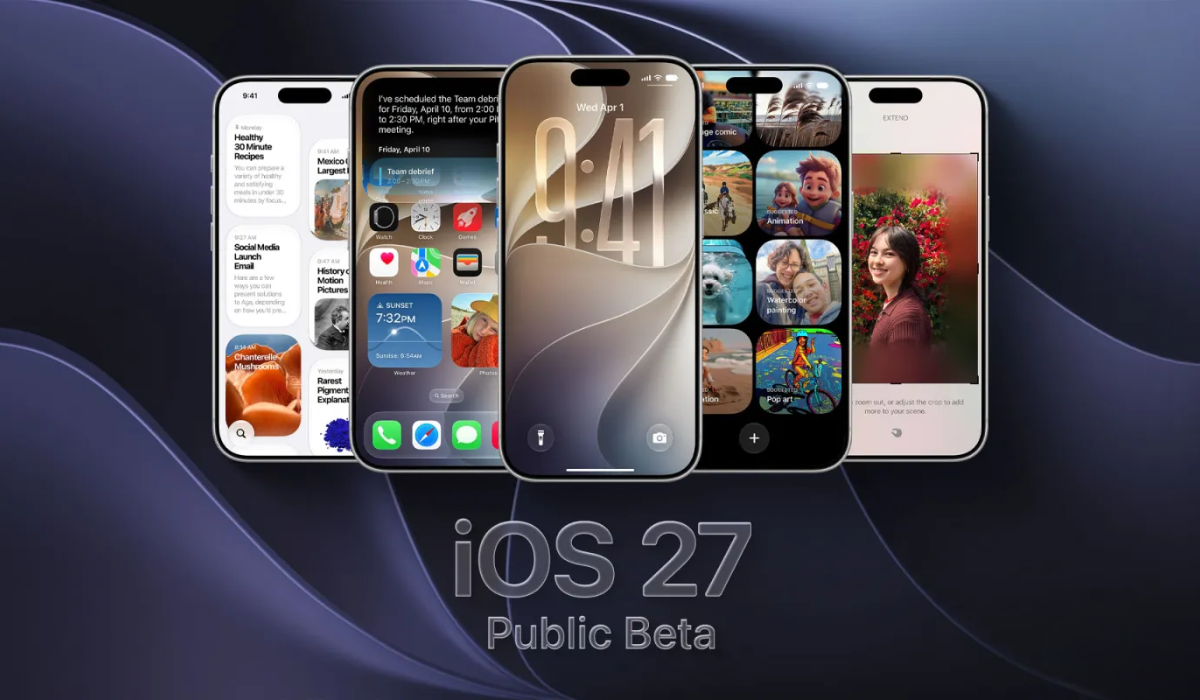


Apple has released the iOS 27 public beta, opening its biggest-ever Siri overhaul to everyday users for the first time. The rebuilt Siri AI can search your personal data, read your screen, and hold real conversations, Apple’s long-awaited answer to ChatGPT and Gemini. There are catches: a waitlist, device limits, and the usual beta risks.
Key Takeaways
- The iOS 27 public beta is out, with the new Siri AI as its headline
- It’s the first time non-developers can test the AI assistant
- Siri AI can search personal data, read the screen, and act in apps
- It requires an iPhone 15 Pro or newer, plus a waitlist signup
- The full iOS 27 release is expected this fall, around September
What Apple Just Released
The rollout went wide this week. Apple is opening up its biggest-ever Siri overhaul to a broader audience with the iOS 27 public beta, letting everyday users try the new AI assistant ahead of its full launch this fall.
It’s a milestone for the assistant. The public beta marks the first time Apple has made its AI-powered Siri available beyond developers, and with roughly 2.5 billion active Apple devices worldwide, even a small slice of users installing it makes this the largest test yet of the redesigned assistant.
The scope goes beyond the iPhone. Apple released public betas across its lineup, including iPadOS 27, macOS 27, watchOS 27, tvOS 27, and visionOS 27, with the first public build based on the third developer beta.
Siri is the clear headline. Apple officially unveiled the Siri AI update at its Worldwide Developers Conference in June, and it’s the feature most people installing the beta will want to try first.
What the New Siri AI Can Do
This is a ground-up rebuild, not a tweak. Apple has reconstructed Siri on its next-generation Apple Intelligence system, turning the aging voice assistant into a tool that can access information on a user’s device, including emails, photos, and messages, respond to what’s on screen, and ground answers in world knowledge like any modern chatbot.
The practical wins show up in daily tasks. In early testing of the developer version, Siri could better handle jobs like finding certain photos, summarizing group texts, adding an appointment from a text to your calendar, and identifying nutritional information from your camera view.
It holds a conversation now. The assistant supports ongoing, natural dialogue, so you can ask a follow-up without repeating the original context, and its responses appear in the Dynamic Island, with a pull-down gesture opening the full conversation view.
There’s a dedicated app and camera smarts. A new standalone Siri app stores conversation history synced privately through iCloud, and a Visual Intelligence mode lets you do things like photograph a barcode to create a Wallet pass or import an event from a flyer.
How to Get It (and the Waitlist Catch)
Installing the beta is straightforward. After signing up for the Apple Beta Software Program with your Apple Account, you go to Settings, then General, then Software Update, tap the info icon next to beta updates, and select the iOS 27 Public Beta.
But Siri AI isn’t instant. Even after updating, there’s a waitlist to enable the new Siri, similar to how Apple first introduced Apple Intelligence in 2024, and pressing the side button still triggers the old assistant until access is granted.
The wait varies. After requesting access in the new Siri settings tab, activation may take anywhere from a few hours to several days, with developer testers typically gaining access within roughly 30 minutes to 72 hours.
Which Devices Are Supported
Hardware requirements are the big limiter. While iOS 27 itself runs on iPhone 11 and newer, the full Apple Intelligence feature set, including Siri AI, requires an iPhone 15 Pro or newer.
Some features push the bar higher. The most advanced on-device capabilities, such as the expressive voice preview, need even newer hardware like the iPhone 17 Pro, iPhone 17 Pro Max, or iPhone Air, which carry more memory to run Siri’s new voice models.
There are regional limits too. Siri AI initially supports select English variants and, per Apple, will not launch in the EU right away for iOS, while the new Apple Intelligence features are also held back in China as Apple works through regulatory requirements.
Should You Install It?
The early verdict is unusually positive. This year’s developer betas have been fairly stable, which makes the public beta easier to recommend than in past years, with Siri widely singled out as the standout feature.
Still, temper expectations. In the developer beta, Siri sometimes threw error messages or got confused, and apps won’t be fully updated for iOS 27 until the official release, so occasional bugs and rough edges come with the territory.
Beta software always carries risk. Apple recommends installing on a secondary device, and if your phone must run flawlessly, it’s wiser to wait for the full iOS 27 launch, expected in September.
Why It Matters
This is Apple’s real entry into the AI-assistant race. After a year in which many felt Apple was trailing rivals, a genuinely capable, conversational Siri is its most serious answer yet to ChatGPT, Gemini, and Claude.
The device integration is the differentiator. Because Siri lives across the system and doesn’t require opening an app, and because it can act on your personal data through Apple’s privacy-focused Private Cloud Compute, it has a shot at becoming a bigger part of daily digital life than standalone chatbots.
The fall launch is the true test. The public beta lets millions pressure-test whether the new Siri lives up to Apple’s promises, and how it performs over the coming weeks will shape whether Apple’s AI comeback sticks when iOS 27 ships to everyone.
Digital Trendings is your trusted source for AI news and updates, stay tuned for more.